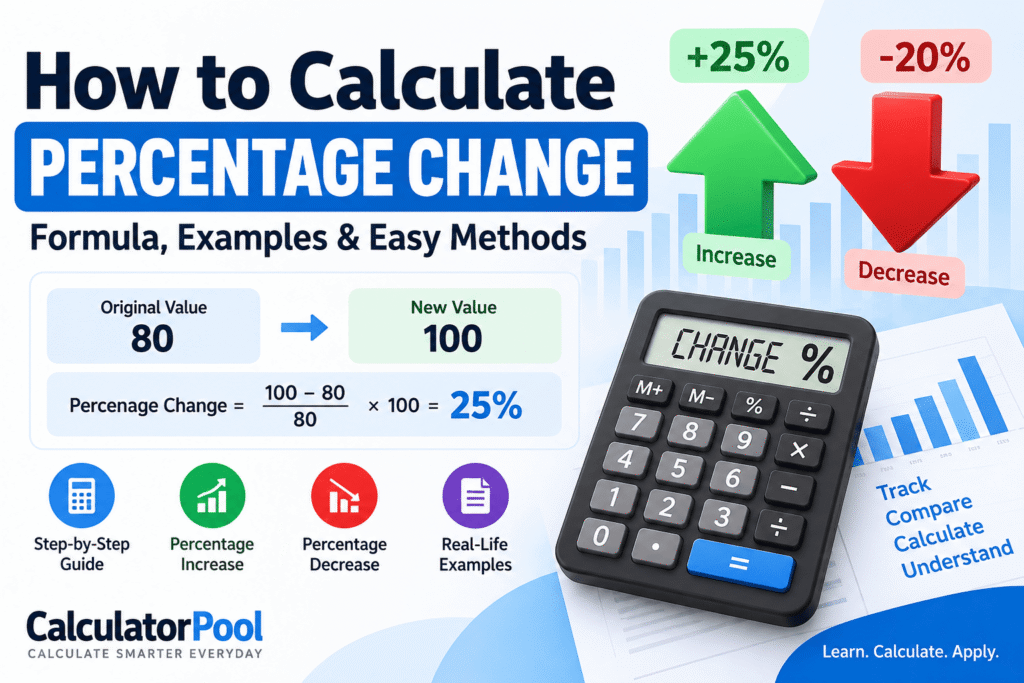
How to Calculate Percentage Change: Formula, Examples & Easy Methods
Learning how to calculate percentage change helps you measure how much a number has increased or decreased compared with its original value. It is commonly used to compare prices, sales, revenue, population, test results, investments, and many other values over time.
The basic percentage change formula is:
Percentage Change = [(New Value − Original Value) ÷ Original Value] × 100
For example, if a product’s price increases from $80 to $100:
Percentage Change = [(100 − 80) ÷ 80] × 100
= (20 ÷ 80) × 100
= 25%
So, the price increased by 25%.
In this guide, we’ll explain how to calculate percentage change step by step, including percentage increases, percentage decreases, worked examples, and common mistakes.
What Is Percentage Change?
Percentage change measures the difference between an original value and a new value relative to the original value.
Instead of simply saying that a value increased by 20, percentage change tells you how large that difference is compared with where the value started.
For example, consider these two changes:
- $100 to $120 = increase of $20
- $1,000 to $1,020 = increase of $20
Both increased by the same amount, but their percentage changes are very different.
For $100 to $120:
(20 ÷ 100) × 100 = 20%
For $1,000 to $1,020:
(20 ÷ 1,000) × 100 = 2%
This is why percentage change is useful when comparing changes across values of different sizes.
Percentage Change Formula
To understand how to calculate percentage change, start with the standard formula:
Percentage Change = [(New Value − Original Value) ÷ Original Value] × 100
Where:
Original Value = the starting value
New Value = the value after the change
The result tells you the relative change as a percentage.
A positive percentage change normally indicates an increase.
A negative percentage change normally indicates a decrease.
How to Calculate Percentage Change Step by Step
You can calculate percentage change in four simple steps.
Suppose a company’s monthly sales increase from $500 to $650.
Step 1: Find the Difference
Subtract the original value from the new value:
650 − 500 = 150
The sales increased by $150.
Step 2: Divide by the Original Value
Divide the difference by the original value:
150 ÷ 500 = 0.30
Step 3: Multiply by 100
Convert the decimal into a percentage:
0.30 × 100 = 30%
Step 4: Interpret the Result
The result is positive, so this represents an increase.
Therefore:
Sales increased by 30%.
That’s the basic method for how to calculate percentage change between two values.
Calculate Percentage Change Instantly
If you don’t want to work through the formula manually, enter your original and new values into the calculator below.
[cp_inline_calculator type="percentage-change"]The calculator can quickly determine the percentage change and help you check your manual calculations.
How to Calculate Percentage Increase
Percentage increase is used when the new value is greater than the original value.
The formula is:
Percentage Increase = [(New Value − Original Value) ÷ Original Value] × 100
Example: Price Increase
Suppose a product originally costs $120 and its new price is $150.
First calculate the increase:
150 − 120 = 30
Divide by the original price:
30 ÷ 120 = 0.25
Multiply by 100:
0.25 × 100 = 25%
Therefore, the price increased by 25%.
How to Calculate Percentage Decrease
The same basic percentage change concept can be used when a value decreases.
For percentage decrease, a convenient formula is:
Percentage Decrease = [(Original Value − New Value) ÷ Original Value] × 100
Example: Price Decrease
Suppose a product originally costs $250, but its price drops to $200.
Find the decrease:
250 − 200 = 50
Divide by the original value:
50 ÷ 250 = 0.20
Multiply by 100:
0.20 × 100 = 20%
Therefore, the price decreased by 20%.
If you use the general percentage change formula instead:
[(200 − 250) ÷ 250] × 100 = −20%
The negative sign indicates that the value decreased.
How to Calculate Percentage Change Between Two Numbers
Suppose you want to know the percentage change from 40 to 50.
Use the percentage change formula:
[(50 − 40) ÷ 40] × 100
First:
50 − 40 = 10
Then:
10 ÷ 40 = 0.25
Finally:
0.25 × 100 = 25%
Therefore, the percentage change from 40 to 50 is a 25% increase.
Percentage Change Examples
Let’s look at several more examples to make how to calculate percentage change easier to understand.
| Original Value | New Value | Difference | Percentage Change |
|---|---|---|---|
| 50 | 60 | +10 | +20% |
| 100 | 125 | +25 | +25% |
| 200 | 150 | −50 | −25% |
| 500 | 600 | +100 | +20% |
| 800 | 720 | −80 | −10% |
| 1,000 | 1,500 | +500 | +50% |
A positive result represents an increase, while a negative result represents a decrease.
Example: Percentage Change in Price
Imagine a laptop originally costs $800, but its price increases to $920.
Difference:
920 − 800 = 120
Divide by the original price:
120 ÷ 800 = 0.15
Multiply by 100:
0.15 × 100 = 15%
The laptop’s price increased by 15%.
Example: Percentage Change in Sales
Suppose a business recorded 2,000 sales last month and 2,500 this month.
The difference is:
2,500 − 2,000 = 500
Now divide by the original number:
500 ÷ 2,000 = 0.25
Then:
0.25 × 100 = 25%
Sales increased by 25%.
This is one reason knowing how to calculate percentage change is useful in business and financial analysis.
Example: Percentage Change in Population
Suppose the population of a town decreases from 50,000 to 47,500.
Calculate the difference:
47,500 − 50,000 = −2,500
Divide by the original population:
−2,500 ÷ 50,000 = −0.05
Multiply by 100:
−0.05 × 100 = −5%
The town’s population decreased by 5%.
Percentage Change vs Percentage Difference
Percentage change and percentage difference sound similar, but they are not always interchangeable.
Percentage change compares a new value with an original or starting value.
Percentage difference is generally used when comparing two values where neither value is considered the starting or reference value.
For percentage change:
Percentage Change = [(New − Original) ÷ Original] × 100
For percentage difference, the difference between the values is commonly divided by their average:
Percentage Difference = |Value 1 − Value 2| ÷ [(Value 1 + Value 2) ÷ 2] × 100
So, identifying whether one value is the original value matters when choosing the correct calculation.
[cp_inline_calculator type=”percentage-change”]
Percentage Change vs Percentage Points
Another common mistake is confusing percentage change with percentage points.
Suppose an interest rate rises from 5% to 7%.
The increase in percentage points is:
7% − 5% = 2 percentage points
But the percentage change is:
[(7 − 5) ÷ 5] × 100 = 40%
Therefore, the rate increased by:
2 percentage points
but its relative increase was:
40%
These describe two different things.
Can Percentage Change Be More Than 100%?
Yes.
A percentage increase can easily exceed 100% when the increase is greater than the original value.
For example, suppose a value increases from 50 to 125.
Difference:
125 − 50 = 75
Percentage change:
(75 ÷ 50) × 100 = 150%
Therefore, the value increased by 150%.
A 100% increase means the original value has doubled. A 200% increase means the increase itself is twice the original value, making the new value three times the original.
Can Percentage Change Be Negative?
Yes.
A negative percentage change means the new value is lower than the original value.
For example:
Original value = 100
New value = 75
Using the percentage change formula:
[(75 − 100) ÷ 100] × 100
= −25%
The value decreased by 25%.
Why Percentage Increases and Decreases Are Not Symmetrical
A common misconception is that increasing something by a certain percentage and then decreasing it by the same percentage returns you to the original value.
It usually doesn’t.
Suppose a product costs $100.
Increase it by 20%:
$100 + $20 = $120
Now decrease $120 by 20%:
20% of $120 = $24
$120 − $24 = $96
You end up with $96, not $100.
That’s because the second percentage is calculated using a different starting value.
Common Mistakes When Calculating Percentage Change
Using the New Value as the Denominator
One of the most common mistakes when learning how to calculate percentage change is dividing the difference by the new value.
The standard calculation uses the original value as the denominator.
Forgetting to Multiply by 100
For example:
25 ÷ 100 = 0.25
To express this as a percentage:
0.25 × 100 = 25%
Ignoring the Negative Sign
A negative result usually indicates that the value decreased.
−15% means a 15% decrease rather than a 15% increase.
Confusing Change With Difference
A numerical difference and a percentage change are not the same.
A value moving from 100 to 125 changes by 25 units, but the percentage change is 25%.
Percentage Change Formula Cheat Sheet
Here are the main formulas worth remembering:
Percentage Change
[(New Value − Original Value) ÷ Original Value] × 100
Percentage Increase
[(New Value − Original Value) ÷ Original Value] × 100
Percentage Decrease
[(Original Value − New Value) ÷ Original Value] × 100
For general percentage calculations, see our guide on How to Calculate Percentage, or use the CalculatorPool Percentage Calculator.
Frequently Asked Questions
How do you calculate percentage change?
To calculate percentage change, subtract the original value from the new value, divide the difference by the original value, and multiply by 100.
What is the formula for percentage change?
The percentage change formula is:
[(New Value − Original Value) ÷ Original Value] × 100
How do you calculate percentage change between two numbers?
To learn how to calculate percentage change between two numbers, identify which number is the original value. Subtract the original from the new value, divide by the original, and multiply the result by 100.
How do you calculate a percentage increase?
Subtract the original value from the new value, divide by the original value, and multiply by 100.
For example, an increase from 100 to 120 is:
[(120 − 100) ÷ 100] × 100 = 20%
How do you calculate a percentage decrease?
Subtract the new value from the original value, divide the difference by the original value, and multiply by 100.
A decrease from 100 to 80 is therefore 20%.
What does a negative percentage change mean?
A negative percentage change generally indicates a decrease. For example, a percentage change of −10% means the new value is 10% lower than the original value.
Is percentage change the same as percentage difference?
No. Percentage change normally uses an original value as its reference point. Percentage difference is generally used to compare two values when neither is considered the original value.
Can percentage change exceed 100%?
Yes. If a value increases from 50 to 125, the increase is 75. Since 75 is 150% of the original value of 50, the percentage increase is 150%.
Final Takeaway
Once you understand the formula, how to calculate percentage change becomes straightforward:
Subtract the original value from the new value → divide by the original value → multiply by 100.
A positive result generally indicates an increase, while a negative result indicates a decrease.
For quick calculations, use the CalculatorPool Percentage Change Calculator to calculate the percentage change between two values instantly.
And if you need to calculate basic percentages rather than changes between values, read our How to Calculate Percentage guide or use the Percentage Calculator.